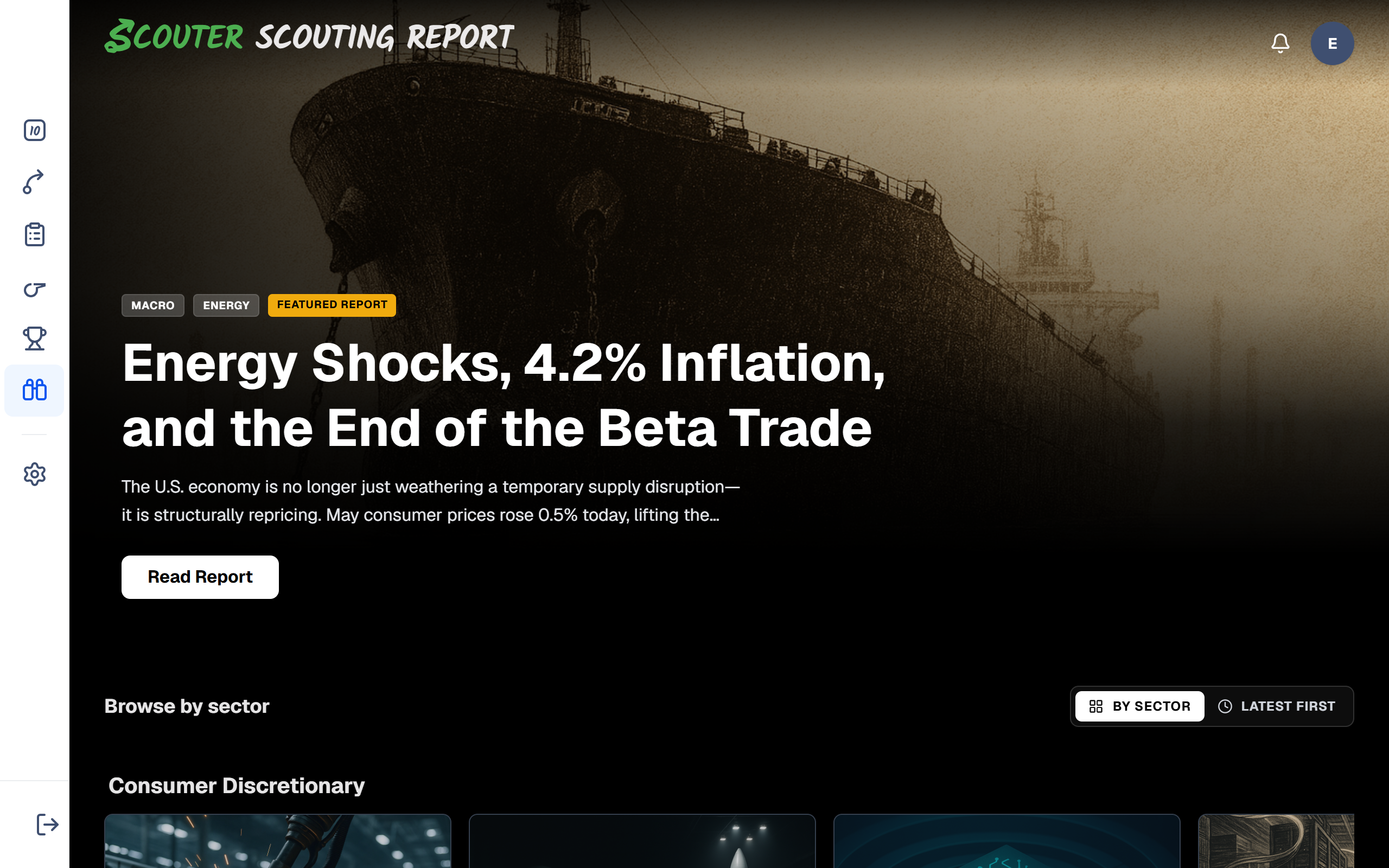
The Scouting Report library is Scouter’s collection of longer research write-ups. Each report is published on a schedule and often includes charts and structured sections. Reports are not generated instantly when you click — they are finished pieces you open and read, similar to a research note or magazine article.
How to browse
- Open Scouting Report.
- Browse the index by sector or in chronological order. Premium reports sit in the same shelves as the rest, with a Premium overlay on the thumbnail when they are locked.
- Click a card to open the report. If content is locked, the page will show clear next steps (sign up, claim, or start a Premium trial).
Use reports when you want deeper narrative context after spotting a theme on Trend Scores or a ticker on Expected Moves / Top Ideas. They complement the live tools; they do not replace them. After reading a report, browse the live Expected Moves week grid for this week’s catalyst calendar.
Types of reports you will see
Free reports
Some posts are free to read for everyone (or after a simple signup). These are labeled clearly on the index — for example Free Report.
Standard research reports
Many long-form posts are available on Starter and Premium. If you are on Free and open one of these, you will usually see a gate titled along the lines of Premium Research Report, with buttons to Upgrade or go Back to Reports. (Starter members can open these even if the button wording emphasizes Premium.)
Premium reports
Some longer reports are Premium. You can still see them in the library; locked cards show a Premium overlay. You can usually read a preview before unlocking. How access works:
| Your situation | What happens |
|---|---|
| Not signed in | You can read the preview. Choose Unlock this report (or Sign in if you already have an account). |
| Signed in on Free, have not claimed yet | If this is the current complimentary offer, choose Unlock this report. Free accounts get one complimentary Premium report. |
| Already claimed your complimentary report | Additional Premium reports unlock with Premium. Buttons say Start a Premium trial. |
| Premium | The full library is unlocked. |
On the index, watch for the Premium overlay (and Free with signup when a complimentary offer is active).
If a report is locked
- Read any on-page explanation — it will say whether you need to sign up, claim a complimentary report, or start a Premium trial.
- Manage your plan anytime under Settings → Subscription or Pricing.
- Return to All reports to pick another piece.
Related: Plans and what’s included · Top Ideas