Shortlist is Scouter’s screener. You build a set of rules (or, on Premium, describe what you want in plain English), run the screen, and get a table of matching tickers you can research further or add to Bench / Lineup.
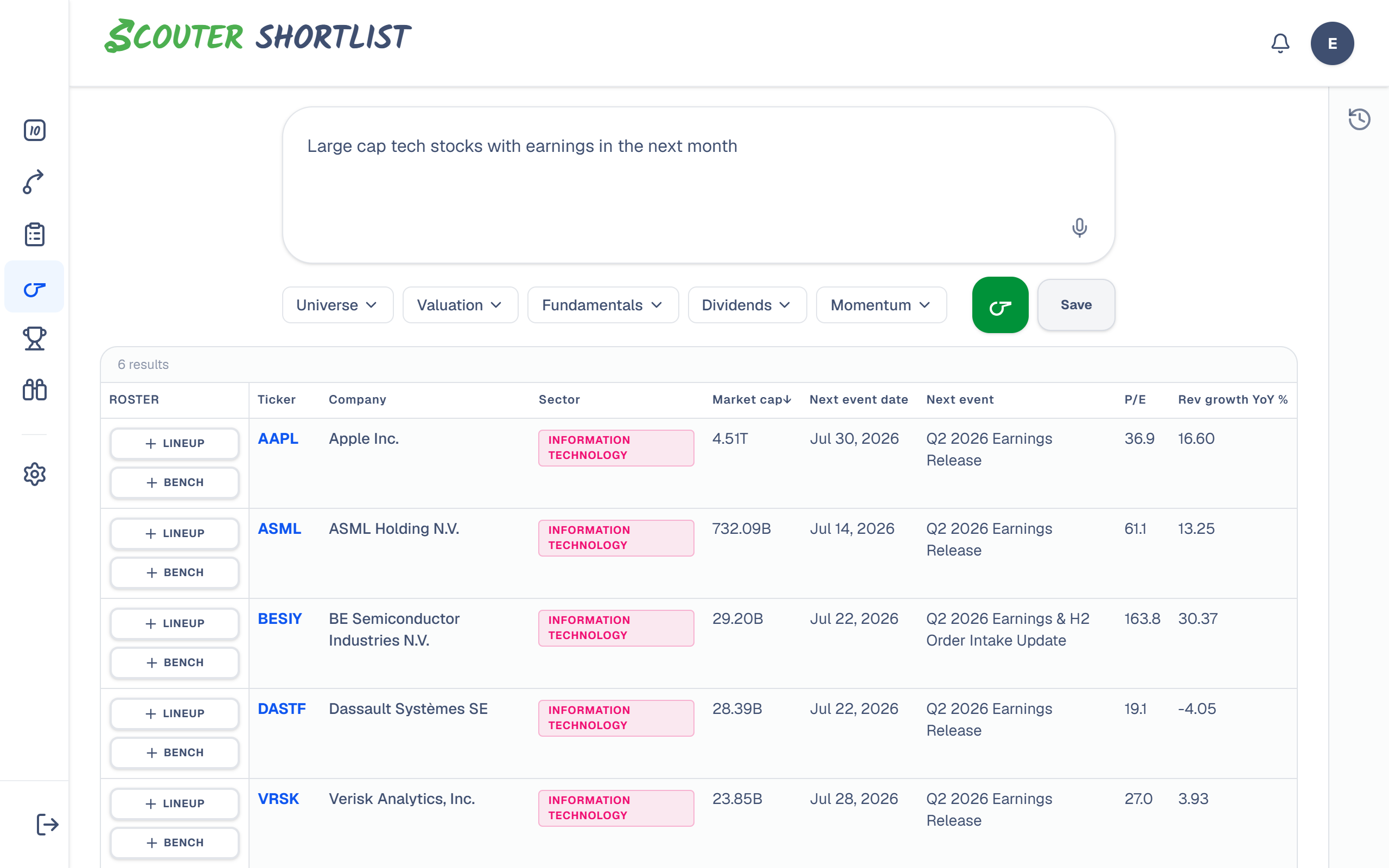
Manual filters (Free and Starter)
- Open Shortlist.
- Set filters under groups such as Universe, Valuation, Fundamentals, Dividends, and Momentum.
- Click Run screen (whistle button).
- Review the result table. Open a ticker for Expected Moves, or add it to Bench / Lineup subject to your plan.
Manual filters are available without Premium. They query Scouter’s fundamentals database directly.
Intelligent Search (Premium)
On Premium you also get a natural-language (and voice) search box. Examples:
- “Large cap tech with earnings next month”
- “High dividend yield, low debt, S&P 500”
- “Funds only with strong momentum”
- “Quality compounders under $50B market cap”
Type or dictate your request, then press Enter or Run screen. Scouter maps your words onto filters — including catalyst-related filters when your request mentions events or timing — then runs the screen. You can still adjust manual filters afterward.
Save useful searches to History so you can rerun them later.
What kinds of data can appear
Depending on your filters or search wording, columns and fields may include:
| Category | Examples |
|---|---|
| Identity | Ticker, company name, sector, industry |
| Size & liquidity | Market cap, average volume, index membership |
| Valuation | Price, P/E, P/S, P/B, EV/EBITDA, PEG |
| Profitability | Revenue growth, margins, ROE, debt/equity, free cash flow |
| Dividends | Yield, payout ratio |
| Momentum | 1-year change, distance to 52-week high, beta, RSI |
| Catalysts | Next event date, event name, bull probability / target when requested |
Universe rules (important)
By default, screens include common stocks plus ETFs and mutual funds. If you only want one group:
- Tighten Universe filters manually, or
- On Premium, say “stocks only” or “funds only” in Intelligent Search
Shortlist does not screen raw crypto symbols. For coverage limits, see What markets and symbols are covered?.
Empty results
If you get no rows:
- Reset filters and start broader.
- Check whether you excluded funds or stocks by accident.
- Remember that brand-new IPOs or thinly covered names may lack fundamentals.
- On Premium, rephrase the Intelligent Search request in simpler language.
Related: Intelligent Shortlist search · Plans and what’s included · Starting Lineup & Bench