Starting Lineup is where you keep two lists in one place:
- Bench — a watchlist for names you are researching
- Starting Lineup — positions you own or are actively sizing (Starter and Premium)
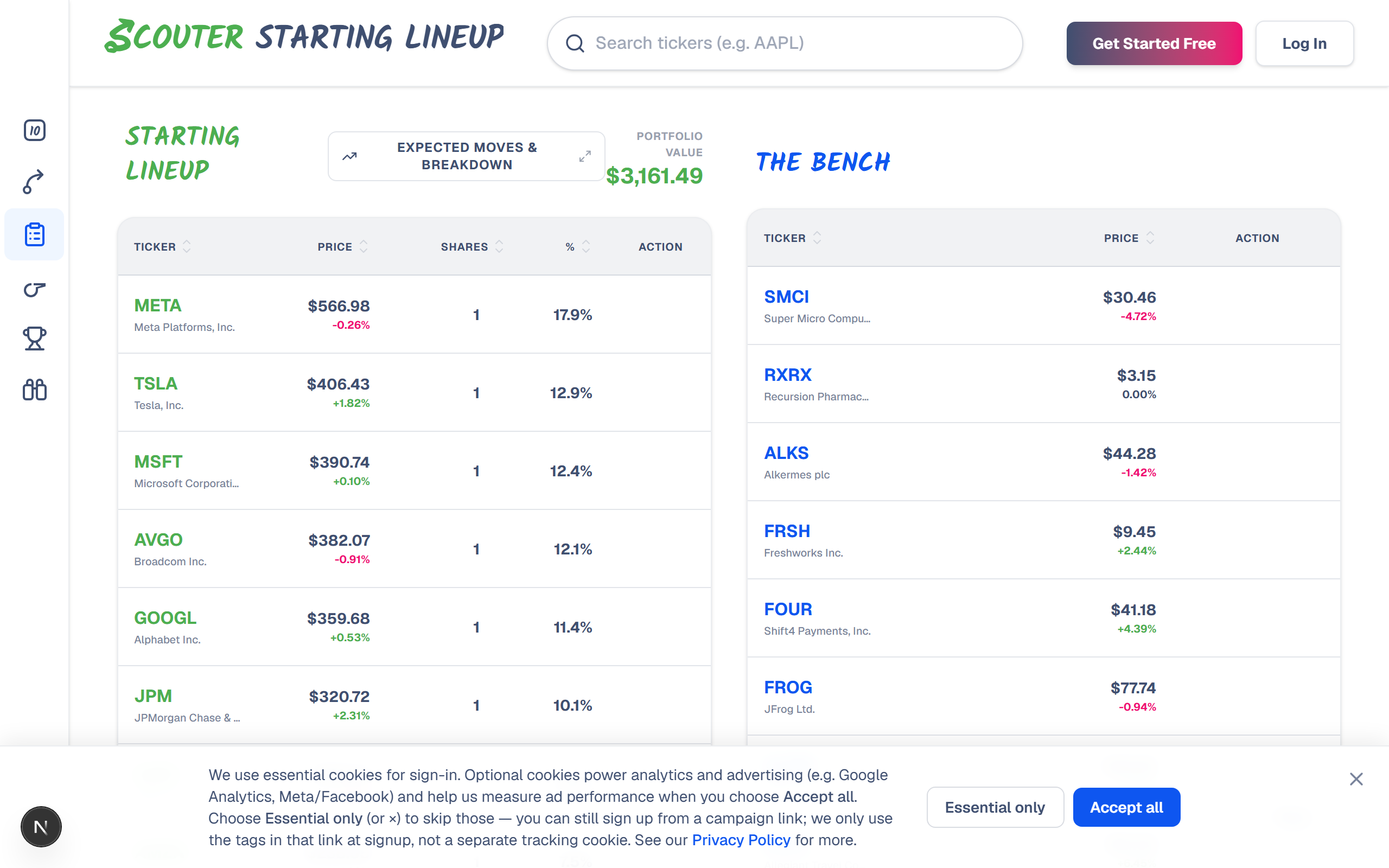
Lineup vs Bench at a glance
| Starting Lineup | Bench | |
|---|---|---|
| Purpose | Holdings / sized positions | Watchlist |
| Enter shares or dollar value | Yes | No |
| Portfolio value & allocation % | Yes | No |
| Expected Moves & Breakdown | Yes | No |
| Catalyst feed | Lineup events | Bench events |
| Who can use it | Starter or Premium (incl. free trial) | All signed-in users (Free: 10 slots) |
A common flow: research on the Bench → decide to size a position → promote to Lineup with shares or dollars → if you exit the position but still want to watch, demote back to Bench.
Using the Bench
Add tickers from:
- Search on the Starting Lineup page
- Bench toggles on Expected Moves / quote pages
- Shortlist result rows
Free accounts stop at 10 Bench names. Starter and Premium (including free trials) have no Bench slot limit. Remove names you no longer care about to free space on Free.
Using the Starting Lineup (Starter+)
- Promote a Bench name, or add directly when your plan allows.
- Enter shares or switch to dollar value mode — whichever matches how you think about position size.
- Watch portfolio value and allocation percentages update as prices and sizes change.
Expected Moves & Breakdown
This control is easy to miss. Look for the chart-style button next to the Lineup header (not the portfolio value number itself). It opens a larger view with:
- A combined portfolio price chart and upcoming catalyst markers
- A sector/industry allocation breakdown
- Expected-move context across Lineup names
You need at least one sized Lineup holding for this to be useful. Bench-only names are not included in the portfolio breakdown.
Catalyst feeds
Below each table, scroll to the Lineup or Bench catalyst feed. Click an event to open the full breakdown (targets, description, rationale) when your access allows:
- Starter or Premium — full detail for roster catalysts
- Free — full detail only for tickers where you spent an Expected Moves credit this period
Otherwise you will see a sign-in or upgrade prompt instead of the full modal.
Common actions
| Action | How |
|---|---|
| Add to Bench | Search, Expected Moves toggle, Shortlist, or page controls |
| Move to Lineup | Promote / “Move to Starting Lineup” (Starter+) |
| Move to Bench | Demote from Lineup |
| Edit size | Click the shares or value field on a Lineup row |
| Remove | Delete / remove on the row |
Related: Expected Moves · Portfolio Expected Moves & Breakdown · Common questions